
Features
Everything between the first call and the carrier submission.
PolicyStream replaces the spreadsheet, the PDF forms, the e-sign tool and the compliance binder with one client file that follows the case the whole way.
Needs analysis
A recommendation you can defend.
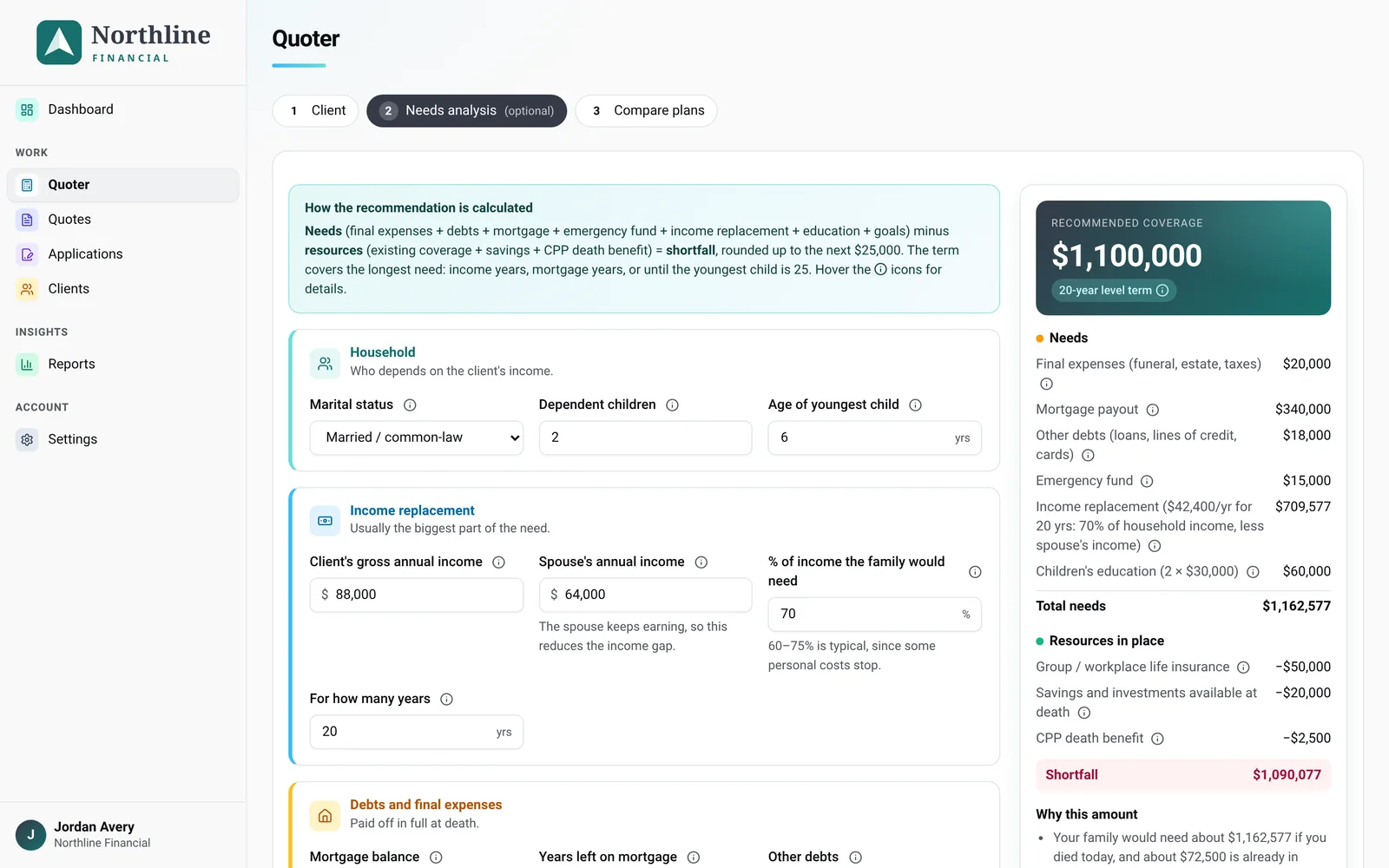
The capital needs calculator works through household, income replacement, debts, goals and existing coverage, then rounds the shortfall into a clear recommendation with a suggested term. Every number has a plain-language explanation your client can follow.
- Income replacement, mortgage, debts, education and final expenses
- Subtracts group coverage, savings and the CPP death benefit
- "Why this amount" summary written for the client
- Versioned on the client file, so you can show what changed and when
Quoter
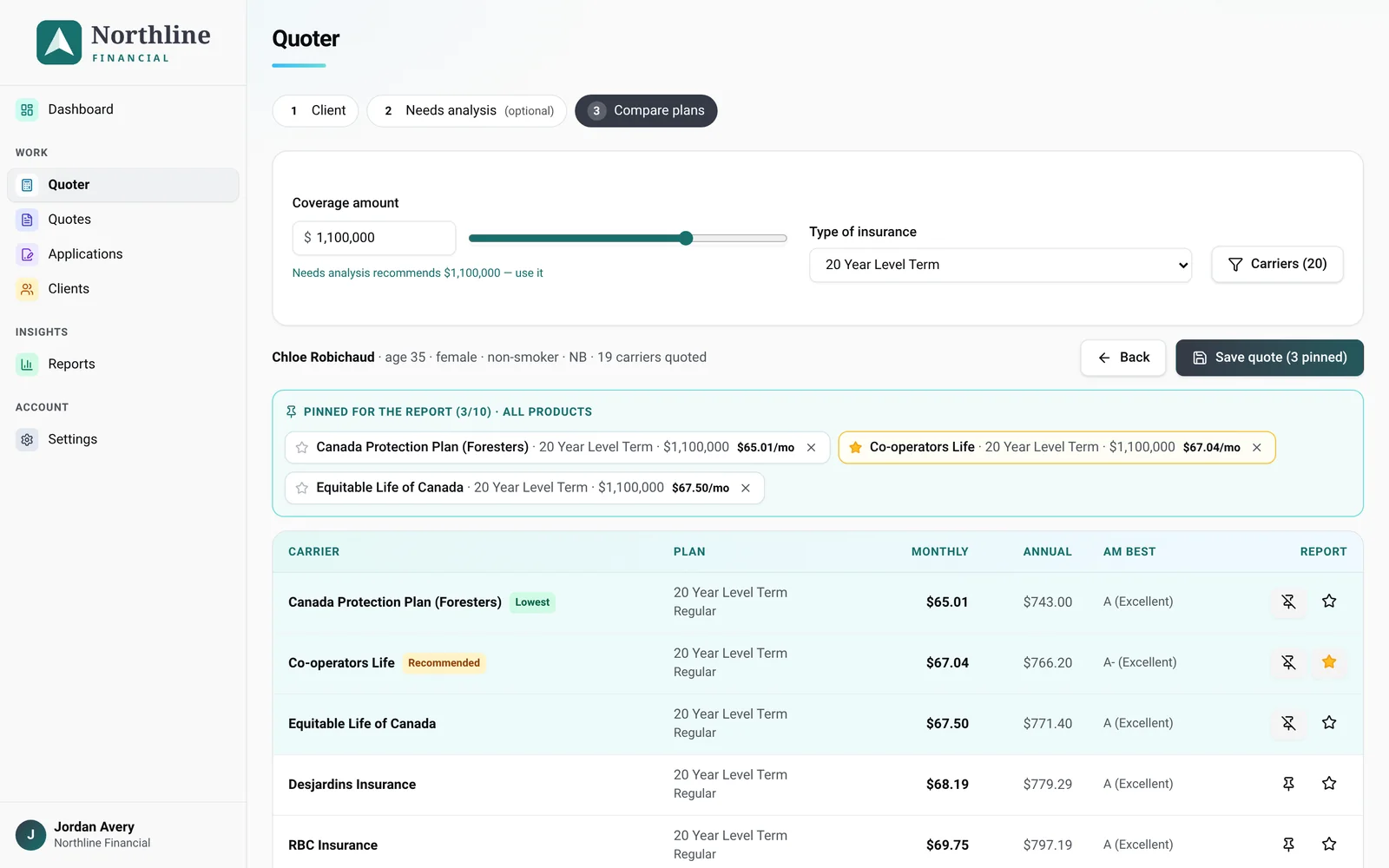
Compare carriers side by side, then show the client why.
Filter by plan type, coverage and carrier. Pin the options worth discussing, star your recommendation and send a branded comparison report. The pinned plan carries straight into the application and the reasons-why letter.
- Term, permanent and simplified issue plans
- Pin up to 10 options and star one as recommended
- Branded PDF report with your logo and colours
- Saved quotes stay on the client file
Client application
Pick the forms. Send one link. Done.
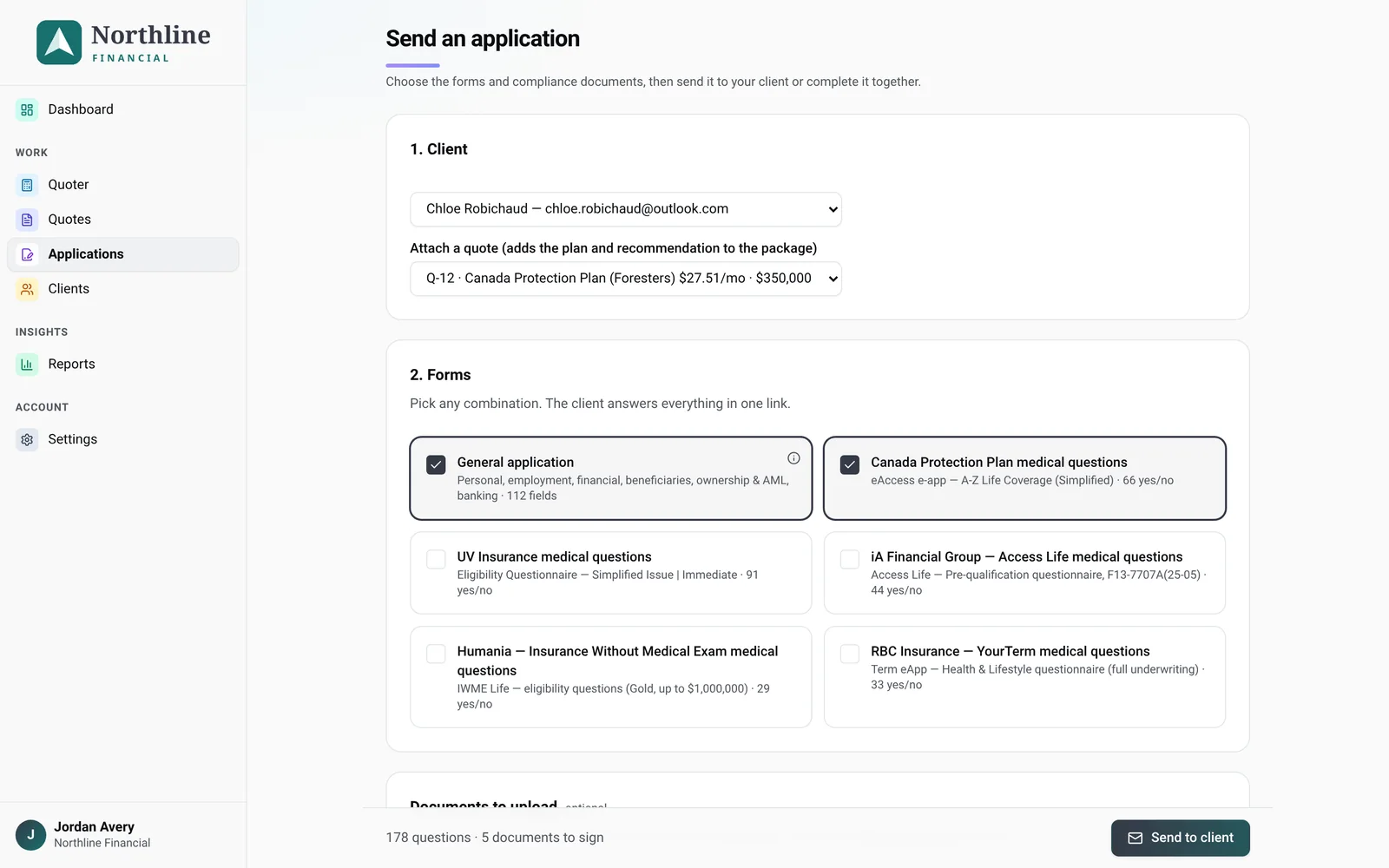
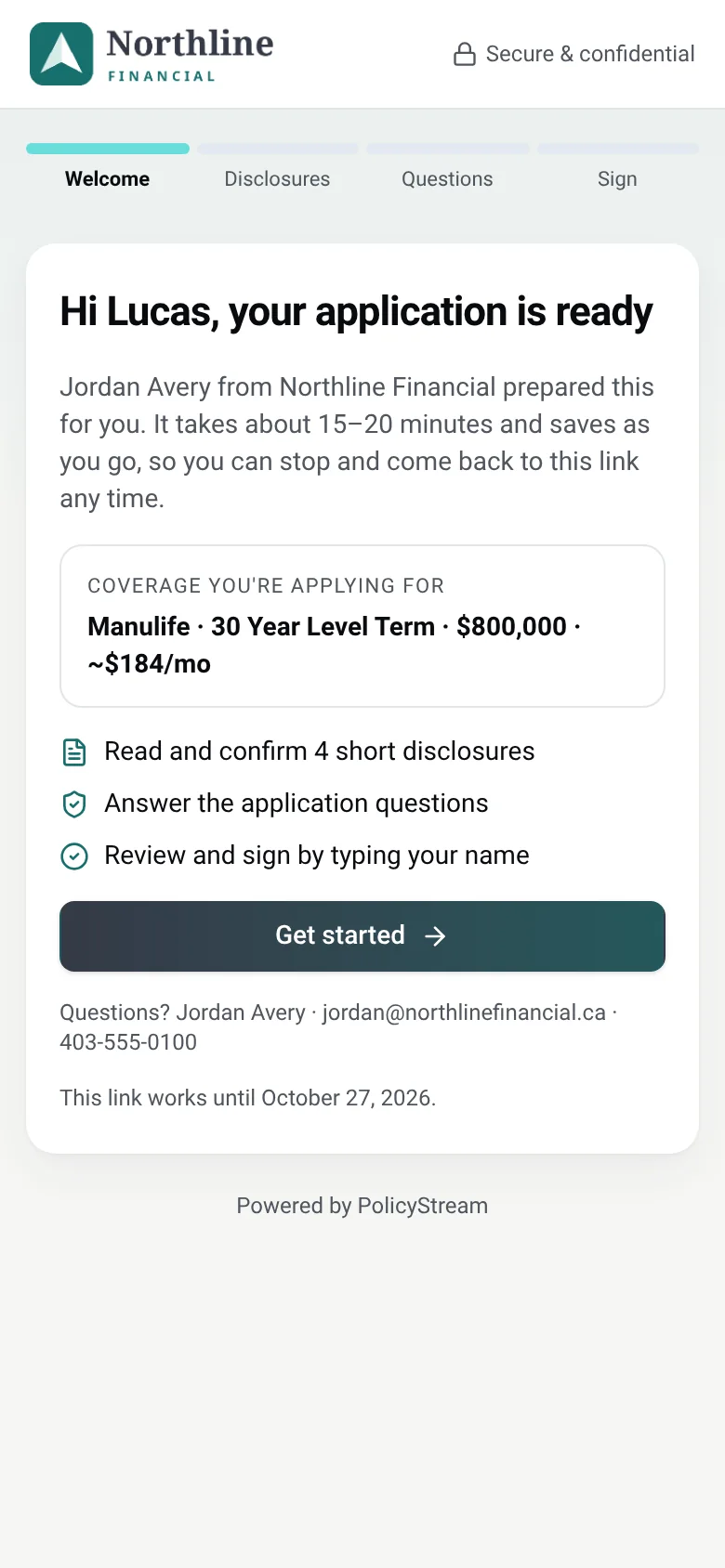
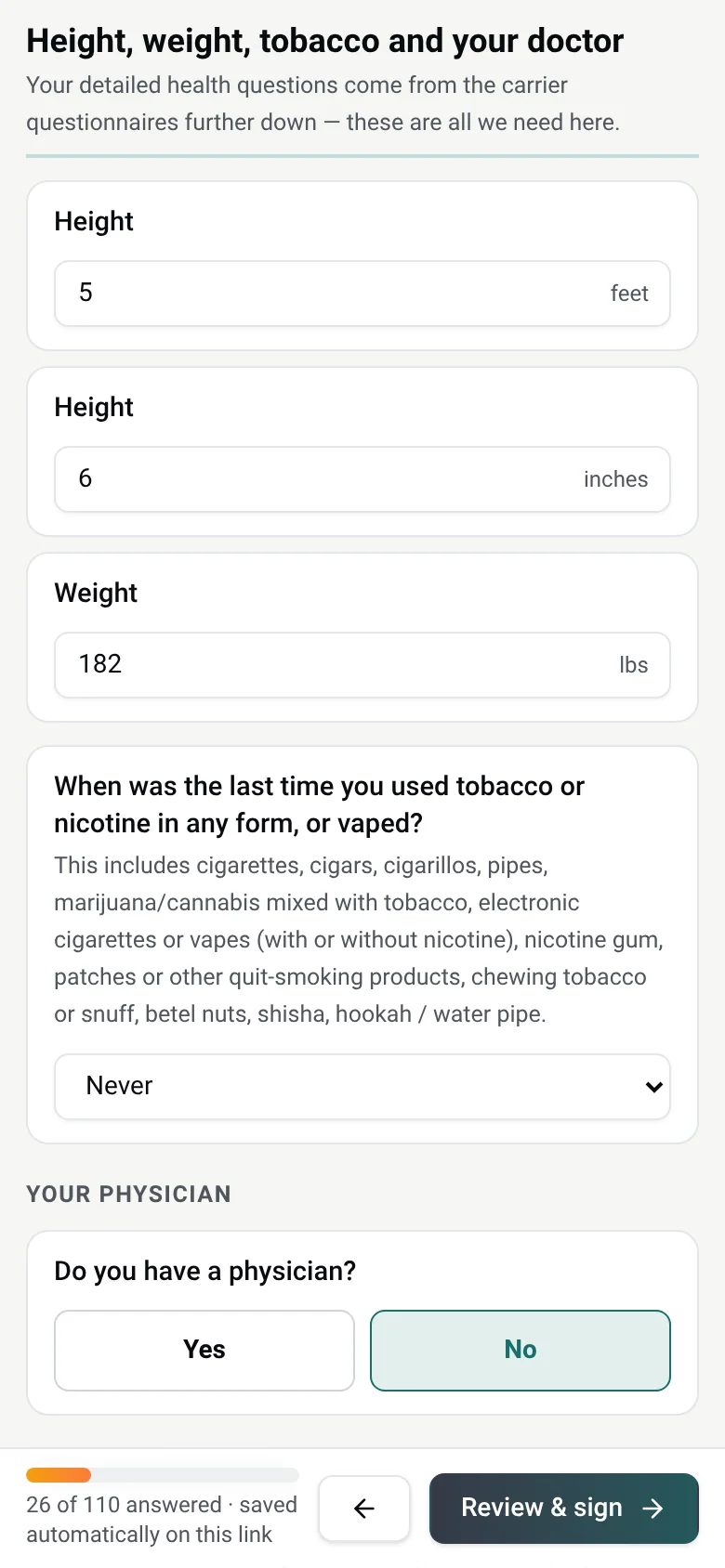
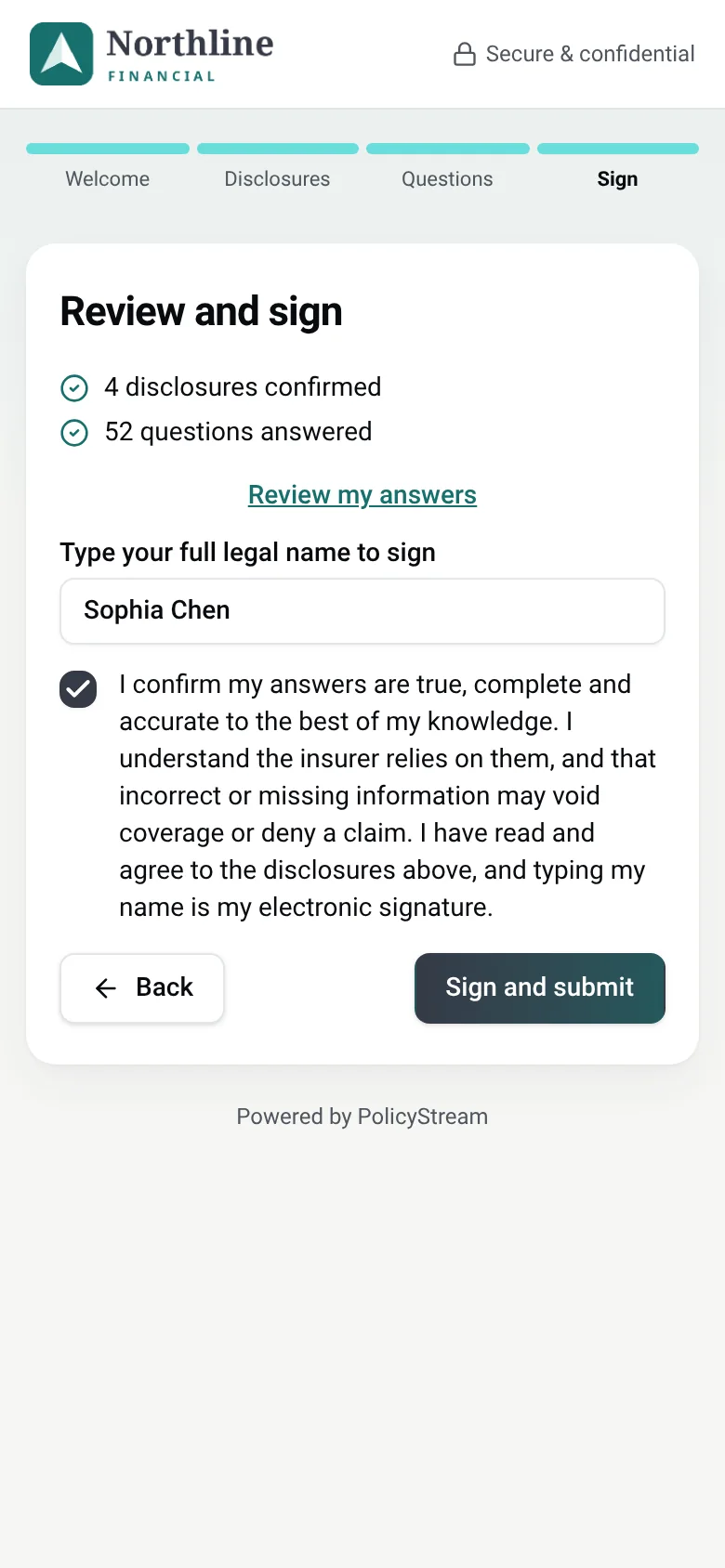
Choose the general application plus the carrier's own questions, add the compliance documents and any uploads you need, then send a secure link or complete it together on a call. Clients answer plain yes/no questions on their phone or computer and sign on screen.
- General application: identity, beneficiaries, ownership, AML, banking
- Carrier questions matched word for word to the e-app
- Skip sections you'd rather go through with the client yourself
- One-time code check, saved progress and links that expire
Compliance
The file your compliance reviewer wants, built while you work.
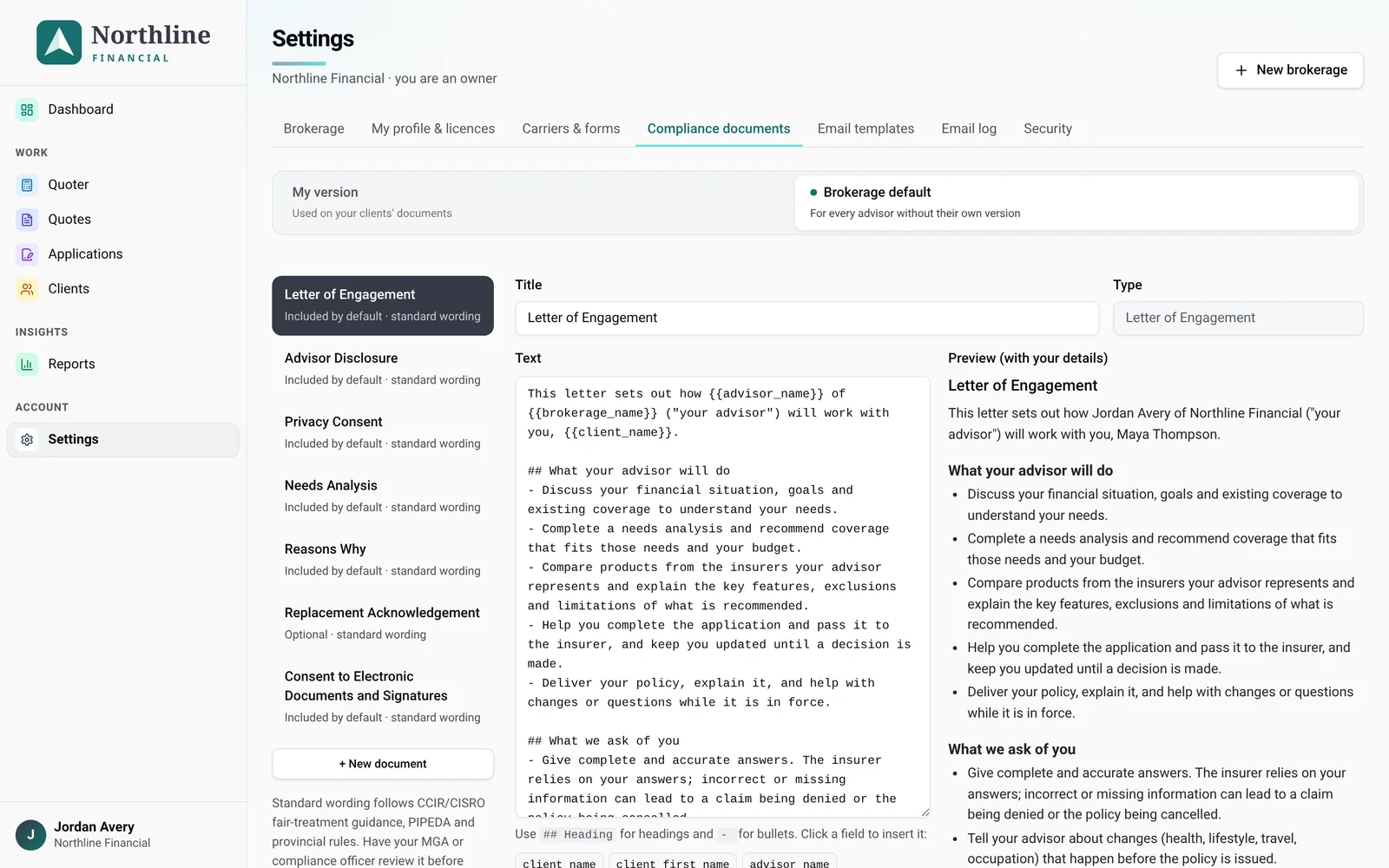
Set your brokerage's standard wording once. Every application then includes the right documents, and each one is frozen at the moment it's sent. Signatures are recorded with time, IP address and a document fingerprint, and a checklist must be complete before a case is marked sent to carrier.
- Letter of engagement, advisor disclosure and privacy consent
- Needs analysis and reasons why, signed by you and the client
- Replacement acknowledgement when it applies
- One-click compliance PDF with a full audit page
PolicyStream gives you the tools. You and your MGA stay responsible for the content of your documents and for meeting your regulator's requirements.
Clients & tracking
Know where every case stands.
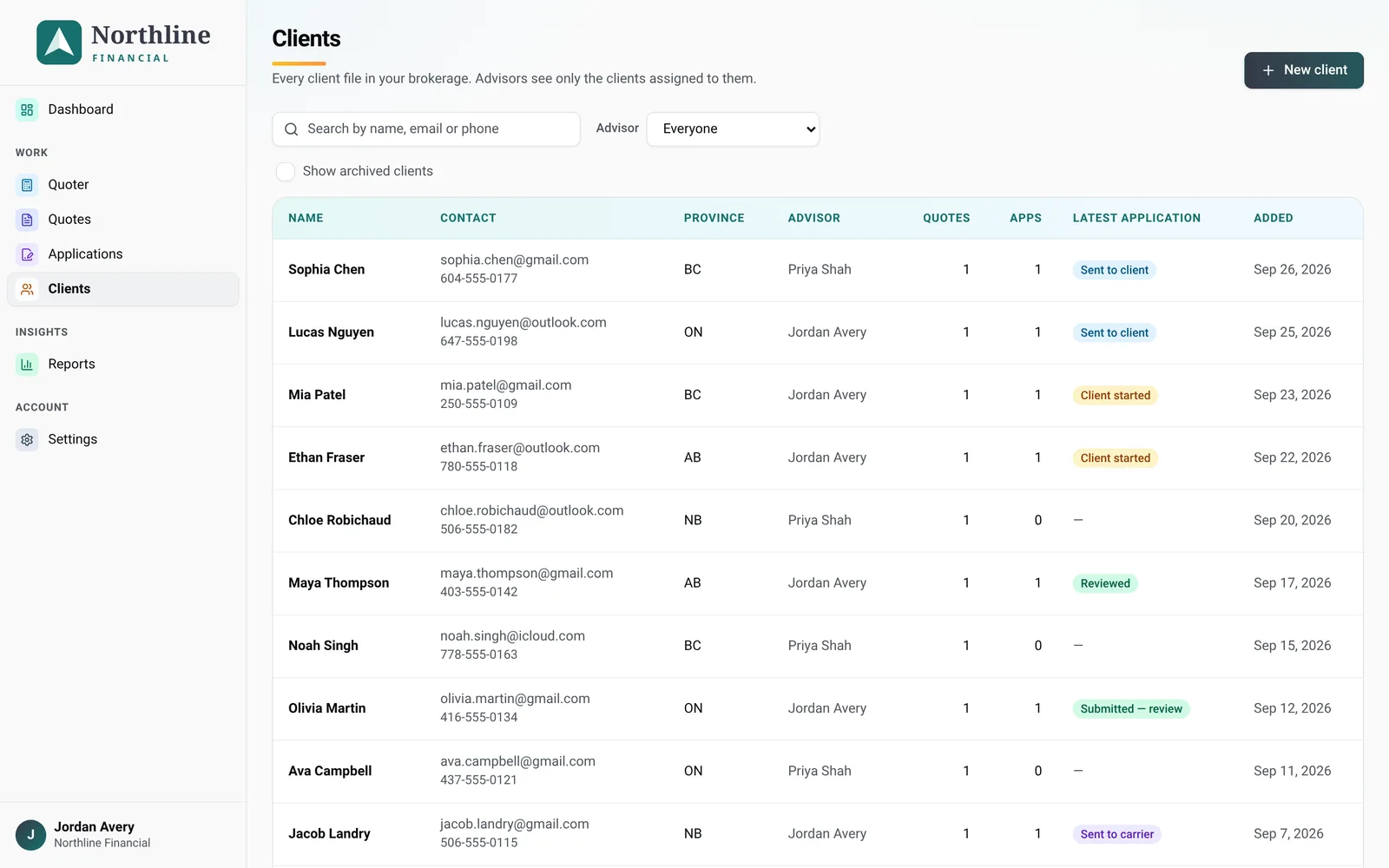
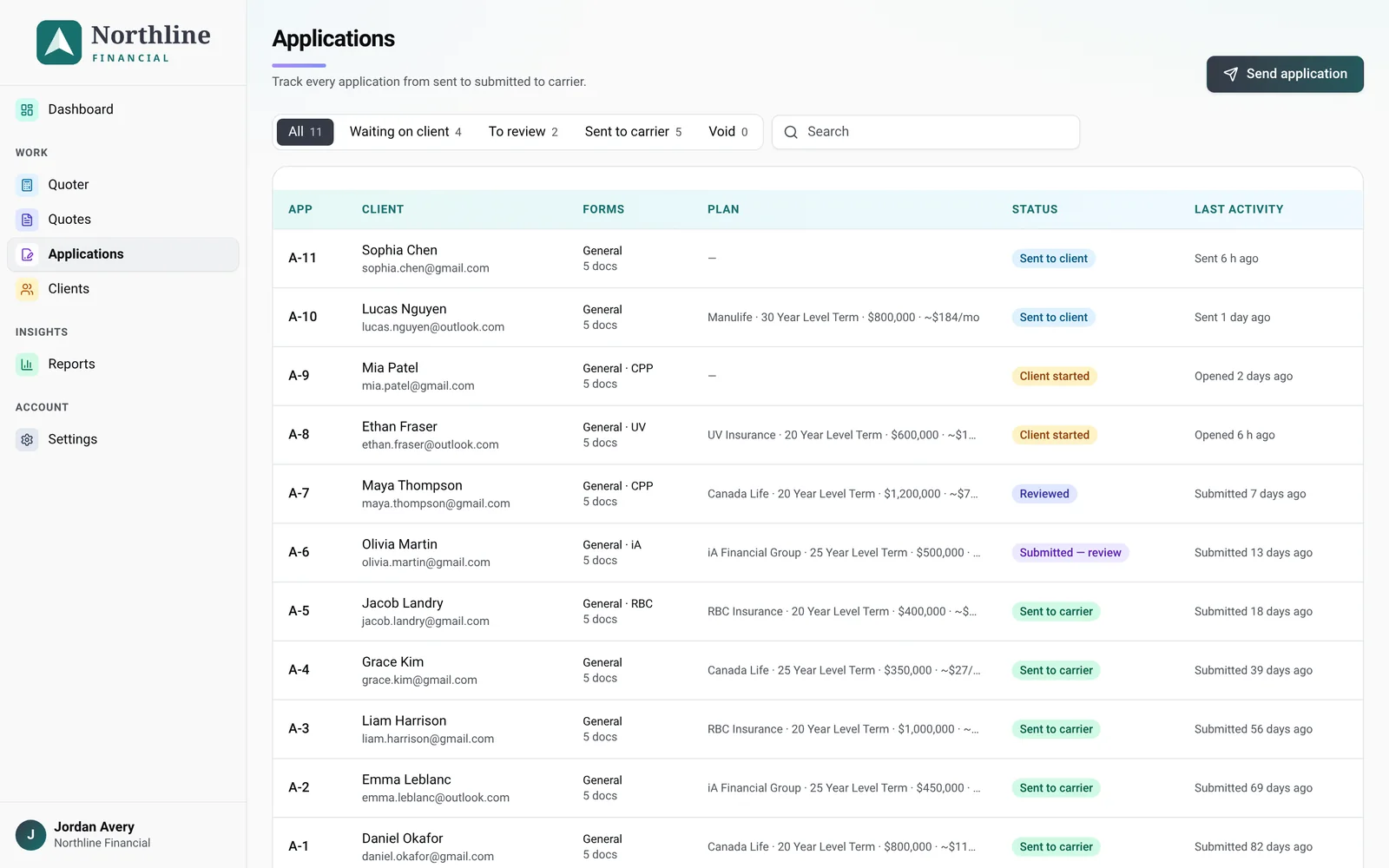
One file per client, with duplicate checks, notes, quotes, applications and an audit trail. Applications move from draft to sent, opened and submitted, so you know exactly who to follow up with.
Branding & emails
Your clients see your brand, not ours.
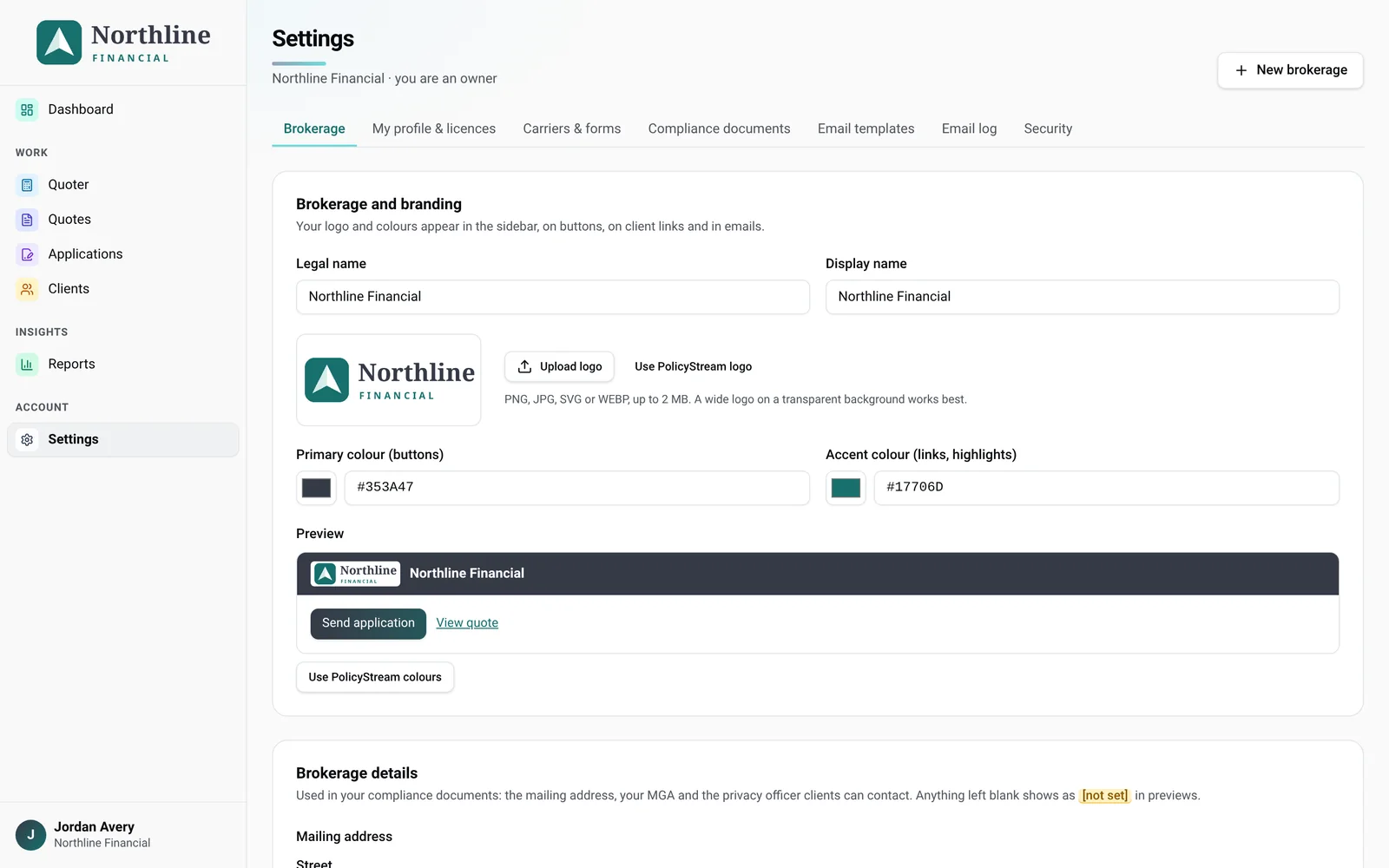
Upload your logo and pick your colours. They appear on the application portal, the quote report and every email. Email templates come with merge fields for quotes, application links, reminders and signing requests, and every message is logged.
- Logo, header and accent colours
- Editable email templates with merge fields
- Send quotes and application links in one click
- Email log on every client file
Reports & teams
See the whole book, or just your own.
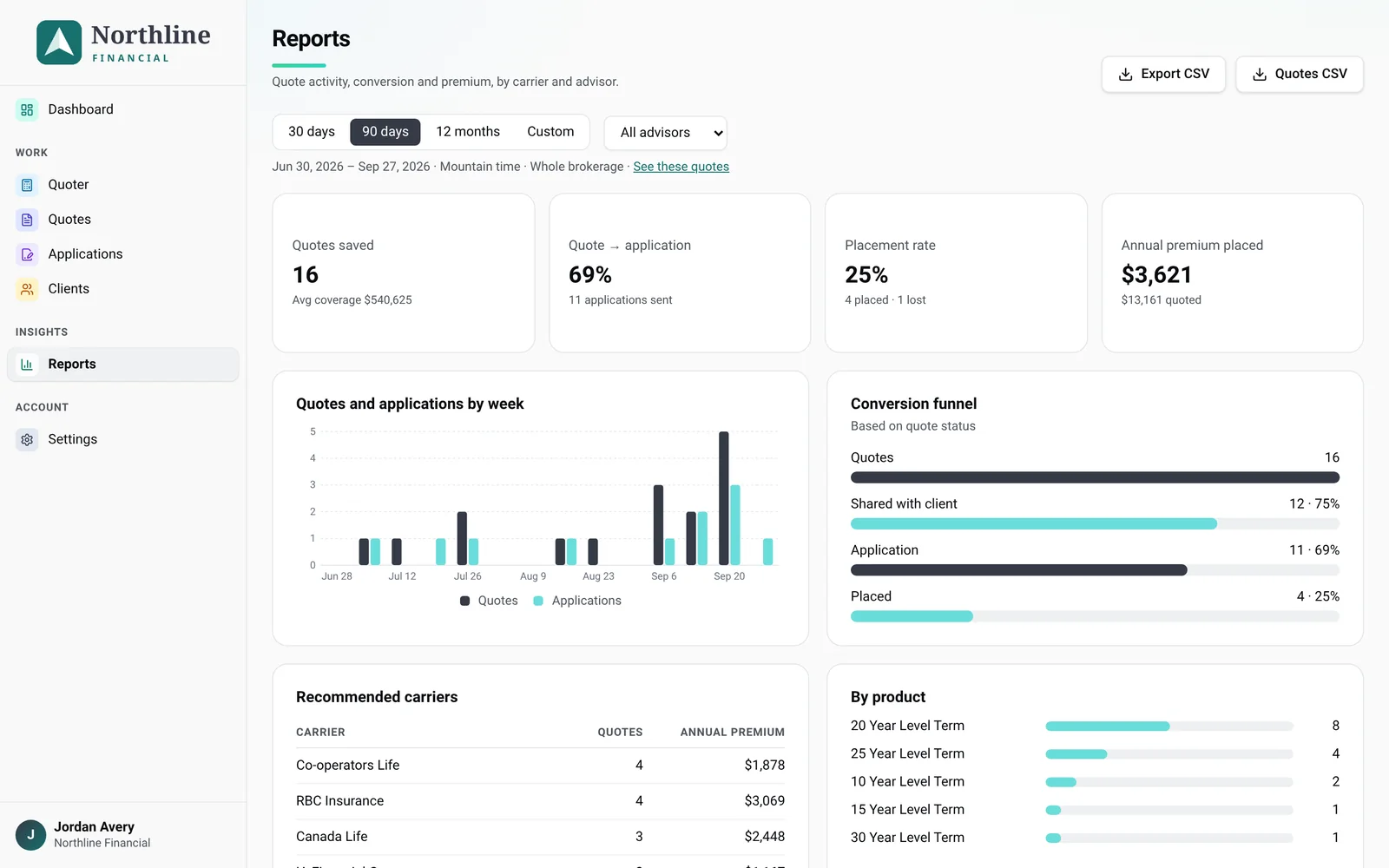
Quotes, applications, conversion and premium placed, by advisor and by month, with CSV export. Owners see the whole brokerage. Advisors see the clients assigned to them.
- Owner, admin and advisor roles
- Per-advisor compliance wording and signatures
- Brokerage-wide templates and documents
- CSV export any time
Also included
The small things that save the most time.
Autofill Beta
Push your client's answers into supported carrier e-apps, word for word. How it works
Document uploads
Ask for ID, void cheques or medical records inside the application instead of chasing email attachments.
Complete it together
Prefer a call? Fill in the application with your client live, then have them review and sign.
Duplicate checks
New clients are checked against your existing book so each person keeps one file.
Canadian by default
Provinces, CPP death benefit, Canadian carriers and data stored in Canada.
Works on any device
Advisors work from a laptop. Clients finish on whatever phone, tablet or computer they have.
Spend your time with clients, not paperwork.
Start your 14-day free trial. Your first client file takes about ten minutes.
Start free trial